

INTRODUCTION
Salesforce Spring ’26 introduces a meaningful enhancement to Lightning Web Components that every LWC developer should know about: the lwc:on directive.
Event handling has always been a core part of building interactive LWC components. But as components grow in complexity — more elements, more event types, more dynamic behavior — the traditional approach of binding individual event listeners directly in the template or managing them imperatively in JavaScript starts to show its limitations. Templates become verbose. JavaScript files accumulate boilerplate. Reusable components become harder to maintain.
The lwc:on directive addresses this directly. Instead of wiring multiple event listeners one by one, you can now bind events through a single JavaScript object — resulting in cleaner templates, more maintainable code, and a more declarative approach to event handling that scales with component complexity.
This blog covers what lwc:on is, how it works, why it matters, and the best practices for adopting it in your LWC development workflow.
THE CHALLENGE
How Event Handling Gets Complicated in Complex LWC Components
Event handling in Lightning Web Components has always worked — but it has not always scaled cleanly. As component requirements grow, the traditional event binding approach accumulates friction in predictable ways.
The Traditional Approach — One Listener at a Time:
In standard LWC development, each event listener is bound individually in the template using the on prefix:
html
<template>
<div
onclick={handleClick}
onmouseover={handleMouseOver}
onmouseout={handleMouseOut}
onfocus={handleFocus}
onblur={handleBlur}
onkeydown={handleKeyDown}>
Content here
</div>
</template>
For simple components with one or two events, this is perfectly readable. But as the number of events grows, problems emerge.
Problems With Traditional Event Binding at Scale:
- Templates become cluttered with event attributes that obscure the structural intent of the markup
- Each new event type requires both a template attribute and a corresponding JavaScript handler — two places to update for every change
- Reusable components that need to support different event configurations across different parent contexts require conditional logic or multiple template variants
- Dynamically adding or changing event listeners requires imperative JavaScript, which is harder to read and test than declarative template bindings
- Complex UI components with many interactive elements accumulate dozens of individual event attributes spread across the template
The Underlying Problem: The traditional approach couples event configuration tightly to the template structure. When event handling logic needs to change — because requirements evolved, because the component is being reused in a new context, or because the event set is dynamic — the change touches multiple files and multiple locations within those files.
The lwc:on directive decouples event configuration from template structure, resolving this fundamental issue.
THE lwc:on DIRECTIVE
What lwc:on Is and How It Works
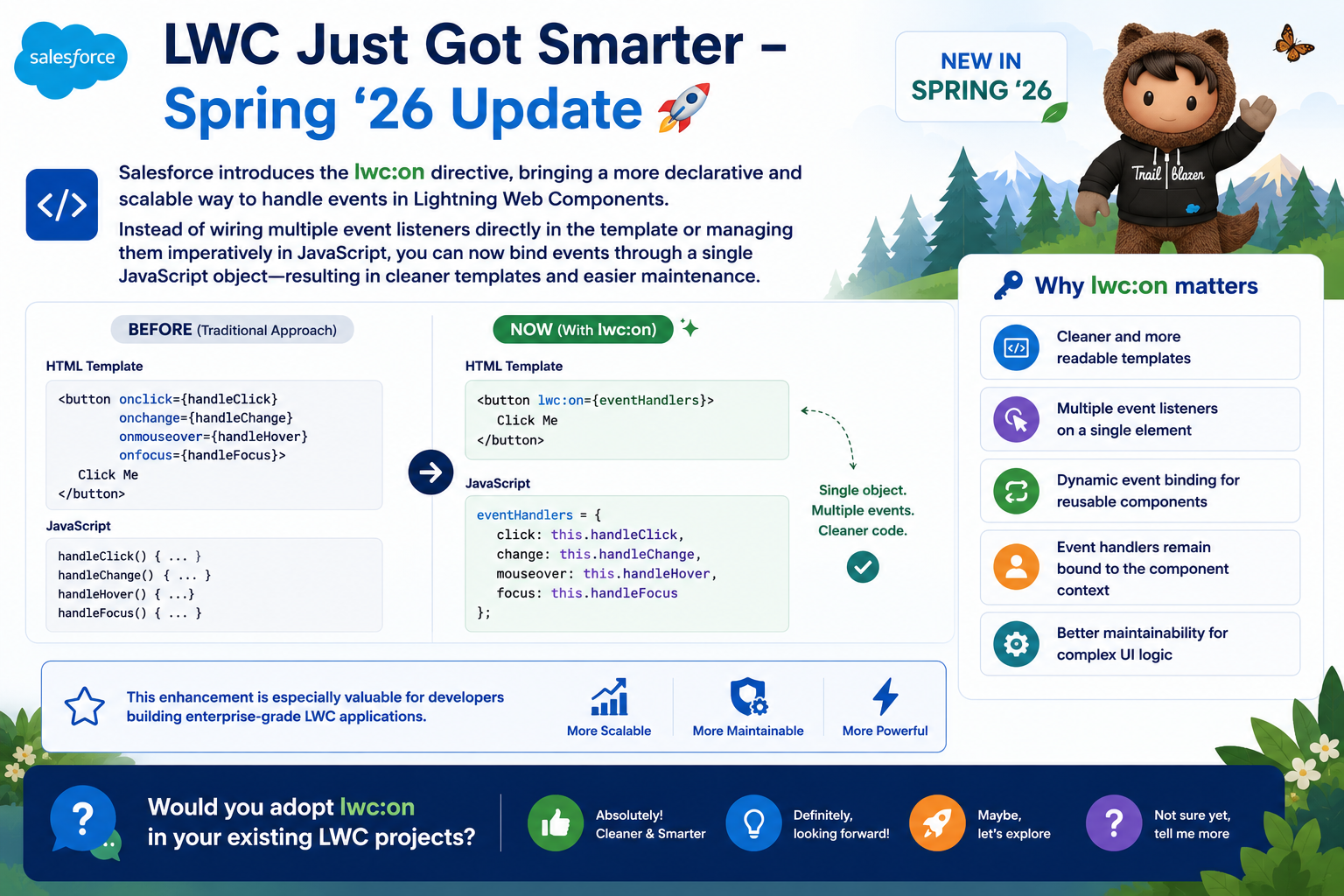
The lwc:on directive allows you to bind multiple event listeners to a single element through a JavaScript object defined in the component’s controller. Instead of listing individual event attributes in the template, you pass a single object that maps event names to handler functions.
Basic Syntax:
html
<!– Template –>
<template>
<div lwc:on={eventHandlers}>
Content here
</div>
</template>
javascript
// JavaScript Controller
import { LightningElement, track } from ‘lwc’;
export default class MyComponent extends LightningElement {
eventHandlers = {
click: this.handleClick.bind(this),
mouseover: this.handleMouseOver.bind(this),
mouseout: this.handleMouseOut.bind(this),
focus: this.handleFocus.bind(this),
blur: this.handleBlur.bind(this),
keydown: this.handleKeyDown.bind(this)
};
handleClick(event) { /* handler logic */ }
handleMouseOver(event) { /* handler logic */ }
handleMouseOut(event) { /* handler logic */ }
handleFocus(event) { /* handler logic */ }
handleBlur(event) { /* handler logic */ }
handleKeyDown(event) { /* handler logic */ }
}
The template becomes clean and readable. The event configuration lives in the JavaScript controller where it is easier to manage, test, and modify dynamically.
What Changes With lwc:on:
- The template references a single property instead of multiple event attributes
- All event bindings for an element are co-located in one JavaScript object
- The object can be defined statically, computed dynamically, or changed at runtime
- Event handlers remain bound to the component context automatically
KEY CAPABILITIES
Five Reasons lwc:on Makes LWC Development Smarter
Capability 1: Cleaner and More Readable Templates
The most immediately visible benefit of lwc:on is what it removes from the template. A div with six event listeners becomes a div with one directive. The template communicates structure and layout clearly, without event attribute noise competing for attention.
Capability 2: Multiple Event Listeners on a Single Element
lwc:on is designed specifically to handle multiple event types on a single element through one directive. There is no limit on the number of events that can be included in the handler object. Complex interactive elements — data table rows, drag-and-drop targets, rich input controls — can have their full event set defined in one place.
Capability 3: Dynamic Event Binding for Reusable Components
This is where lwc:on delivers its most significant architectural value. Because the handler object is defined in JavaScript, it can be computed dynamically — based on component properties, parent-provided configuration, or runtime conditions.
A single component can support different event configurations depending on how it is used — without template conditionals, without multiple component variants, and without parent components needing to manage event binding externally.
Capability 4: Event Handlers Bound to Component Context
A common source of bugs in JavaScript event handling is losing the this context when handlers are invoked. The lwc:on directive ensures handlers remain bound to the component instance, eliminating this class of error.
When handlers are defined in the event object using .bind(this), the component context is preserved regardless of how or when the event fires. The handler always has access to the component’s properties, tracked state, and methods — exactly as expected.
Capability 5: Better Maintainability for Complex UI Logic
When event handling logic needs to change, lwc:on localizes that change to the JavaScript controller. Adding a new event type means adding one line to the handler object. Removing an event type means removing one line. Changing which function handles an event means updating one property in the object.
No template changes required. No risk of missing a corresponding template attribute when adding a handler. No need to coordinate changes across two files for every event modification.
BEFORE AND AFTER COMPARISON
What lwc:on Looks Like in a Real Component
Scenario: A selectable, keyboard-accessible list item component
Before lwc:on — Traditional Approach:
html
<!– Template –>
<template>
<li
class={itemClass}
onclick={handleClick}
ondblclick={handleDoubleClick}
onkeydown={handleKeyDown}
onmouseover={handleMouseOver}
onmouseout={handleMouseOut}
onfocus={handleFocus}
onblur={handleBlur}
role=”option“
tabindex=”0“>
{item.label}
</li>
</template>
After lwc:on — Spring ’26 Approach:
html
<!– Template –>
<template>
<li
class={itemClass}
lwc:on={itemHandlers}
role=”option“
tabindex=”0“>
{item.label}
</li>
</template>
javascript
// JavaScript Controller
itemHandlers = {
click: this.handleClick.bind(this),
dblclick: this.handleDoubleClick.bind(this),
keydown: this.handleKeyDown.bind(this),
mouseover: this.handleMouseOver.bind(this),
mouseout: this.handleMouseOut.bind(this),
focus: this.handleFocus.bind(this),
blur: this.handleBlur.bind(this)
};
The template is reduced from eight attributes to two — the structural attributes that belong there and one lwc:on directive. The event configuration is now fully managed in JavaScript where it is easier to test, modify, and document.
KEY LEARNING
What the lwc:on Directive Teaches Us About LWC Evolution
Learning 1: Declarative Is Almost Always Better Than Imperative The lwc:on directive follows the same principle that drives the best LWC design decisions — when something can be expressed declaratively, it should be. Declarative code is easier to read, easier to test, and easier to maintain than its imperative equivalent.
Learning 2: Template Clarity Has Real Value A template that communicates structure and layout clearly — without noise from dozens of event attributes — is easier for every developer who reads it after you. Template clarity is not a cosmetic concern. It is a maintainability concern.
Learning 3: Reusability Requires Configuration Flexibility The most reusable components are the ones that can adapt their behavior based on context without requiring template modifications. lwc:on enables this by making event configuration a JavaScript-layer concern rather than a template-layer concern. This is the right separation of responsibilities for scalable component design.
Learning 4: Platform Enhancements Reward Attention to Release Notes lwc:on is a relatively small directive with significant practical impact. It is exactly the kind of enhancement that rewards developers who stay current with Salesforce release notes. Adopting platform improvements like this compound over time into meaningfully better codebases.
Learning 5: Context Binding Is a Design Decision, Not an Afterthought Ensuring event handlers retain component context — through .bind(this) or arrow functions — is a design decision that should be made explicitly. lwc:on makes this pattern visible and intentional rather than something that gets forgotten and causes subtle bugs.
KEY INSIGHT
Smarter Event Handling, Cleaner Components, Better Architecture
The lwc:on directive is a small addition to the LWC template syntax with an outsized impact on how complex components are structured and maintained.
It reflects a direction that the best LWC development has always been moving toward — pushing configuration and logic to where they are easiest to manage, and keeping templates focused on expressing structure. When event binding moves from the template to a JavaScript object, both layers become cleaner and more purposeful.
For developers building enterprise-grade LWC applications where components are complex, reusable, and long-lived, this is exactly the kind of platform enhancement that makes a meaningful difference. Not just in how components look, but in how they evolve over time.
Final Thought
The lwc:on directive is the kind of Salesforce platform enhancement that rewards developers who pay attention to what is changing and take the time to adopt it thoughtfully.
It will not rewrite your existing components overnight — and it does not need to. Start with your most complex components, the ones with the most event listeners and the most cluttered templates. Apply lwc:on there first and experience the improvement in readability and maintainability directly.
Then, as you build new components, make lwc:on part of your default approach for any element that needs to handle multiple event types. Over time, the cumulative effect on your codebase will be significant — cleaner templates, more maintainable controllers, and components that are genuinely easier to extend as requirements evolve.
LWC just got smarter. Build smarter with it.

