

Implementing Salesforce is a significant investment for any business. Whether you’re deploying Sales Cloud, Service Cloud, Data Cloud, Revenue Cloud, or another Salesforce product, success depends on much more than purchasing licenses. It requires careful planning, stakeholder alignment, data preparation, system integration, user training, and ongoing optimization.
Many Salesforce projects fail because organizations skip essential planning steps, underestimate implementation complexity, or choose the wrong implementation strategy.
That’s why every successful Salesforce project starts with a structured implementation checklist.
In this guide, we’ll walk you through a 25-step Salesforce implementation checklist used by experienced Salesforce consultants to deliver successful CRM deployments. Whether you’re a startup, SMB, or enterprise in the USA, UK, or Canada, following these best practices will help reduce risks, avoid costly mistakes, and maximize your Salesforce ROI.
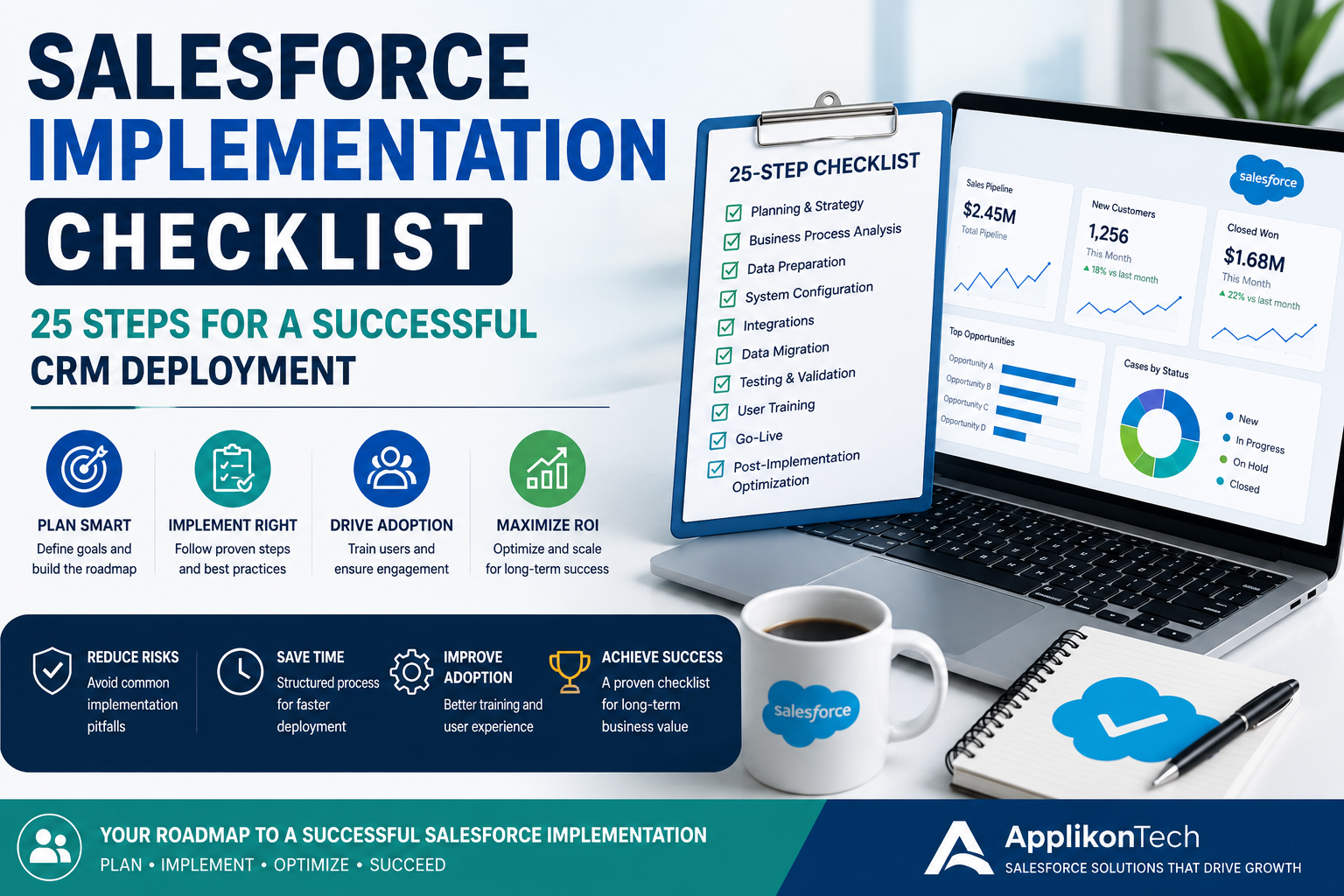
Why Do You Need a Salesforce Implementation Checklist?
Salesforce implementation involves multiple teams, business processes, and technical components. Without a clear roadmap, projects can quickly become delayed, exceed budgets, or fail to meet business objectives.
A well-planned implementation checklist helps you:
- Define clear project goals
- Reduce implementation risks
- Improve user adoption
- Ensure accurate data migration
- Simplify integrations
- Increase project transparency
- Deliver Salesforce on time and within budget
Whether you’re working with an internal team or a Salesforce implementation partner, this checklist provides a structured approach to a successful deployment.
Phase 1: Project Planning & Strategy
1. Define Business Objectives
Start by identifying why you’re implementing Salesforce.
Examples include:
- Increase sales productivity
- Improve customer service
- Automate workflows
- Centralize customer data
- Improve reporting
- Support business growth
Clear objectives guide every implementation decision.
2. Identify Key Stakeholders
Include representatives from:
- Sales
- Customer Service
- Marketing
- IT
- Operations
- Finance
- Executive Leadership
Early stakeholder involvement reduces resistance and improves project alignment.
3. Select the Right Salesforce Products
Choose the Salesforce products that align with your business needs.
Examples include:
- Sales Cloud
- Service Cloud
- Experience Cloud
- Data Cloud
- Revenue Cloud
- Salesforce CPQ
- Field Service
Avoid implementing unnecessary products during the initial phase.
4. Choose the Right Salesforce Consulting Partner
Your implementation partner directly impacts project success.
Look for:
- Certified Salesforce Consultants
- Industry Experience
- Proven Implementation Methodology
- Integration Expertise
- Long-Term Support
An experienced Salesforce consulting company helps reduce risks and accelerate deployment.
5. Define Project Scope
Document:
- Features
- Workflows
- Integrations
- Reports
- Dashboards
- Custom Development
- User Roles
A clearly defined scope prevents project delays caused by changing requirements.
Phase 2: Business Process Analysis
6. Document Existing Workflows
Understand how your teams currently work.
Identify:
- Manual processes
- Bottlenecks
- Duplicate work
- Reporting challenges
- Customer journey gaps
This analysis ensures Salesforce supports your actual business operations.
7. Design Future-State Processes
Determine how Salesforce will improve:
- Lead Management
- Opportunity Tracking
- Customer Support
- Marketing Automation
- Approval Processes
- Reporting
Focus on automation rather than simply replicating existing manual workflows.
8. Define User Roles & Permissions
Establish:
- User Profiles
- Permission Sets
- Role Hierarchy
- Sharing Rules
- Security Requirements
Proper security protects sensitive business data while maintaining productivity.
9. Prepare a Data Migration Strategy
Identify the data you need to migrate.
Examples include:
- Accounts
- Contacts
- Leads
- Opportunities
- Products
- Cases
- Historical Records
Decide what data should be archived instead of migrated.
10. Clean Existing Data
Before migration:
- Remove duplicate records
- Correct incomplete information
- Standardize formats
- Validate email addresses
- Verify customer records
Clean data improves reporting accuracy and user confidence.
Phase 3: Salesforce Configuration
11. Configure Standard Salesforce Features
Configure:
- Accounts
- Contacts
- Leads
- Opportunities
- Cases
- Products
- Activities
- Reports
Start with standard functionality before requesting custom development.
12. Configure Business Automation
Automate repetitive tasks using:
- Flows
- Approval Processes
- Email Alerts
- Assignment Rules
- Escalation Rules
Automation increases efficiency while reducing manual errors.
13. Customize Salesforce Where Necessary
Only customize Salesforce when standard functionality cannot meet business requirements.
Examples include:
- Custom Objects
- Apex Development
- Lightning Components
- Custom Reports
- Custom Dashboards
Avoid excessive customization whenever possible.
14. Plan Third-Party Integrations
Identify systems requiring integration.
Common examples:
- ERP Systems
- SAP
- Oracle
- QuickBooks
- Shopify
- HubSpot
- Stripe
- Marketing Platforms
Early integration planning reduces deployment delays.
15. Create Reports & Dashboards
Business leaders need visibility into performance.
Build dashboards for:
- Sales Pipeline
- Customer Service
- Revenue
- Lead Conversion
- Customer Satisfaction
- Executive KPIs
Real-time reporting is one of Salesforce’s greatest strengths.
Phase 4: Data Migration & System Integration
16. Migrate Your Business Data Securely
Data migration is one of the most critical stages of a Salesforce CRM implementation. Poor data migration can affect reporting, automation, customer relationships, and user confidence.
Before migration:
- Validate customer records
- Remove duplicate contacts
- Verify account ownership
- Standardize naming conventions
- Check mandatory fields
- Archive outdated records
A structured migration ensures clean, accurate, and reliable business data from day one.
17. Integrate Salesforce with Business Applications
Most organizations use multiple software platforms. Salesforce should become the central hub rather than another disconnected application.
Common integrations include:
- SAP
- Oracle
- Microsoft Dynamics
- HubSpot
- Shopify
- Stripe
- QuickBooks
- Outlook
- Microsoft Teams
- Slack
- Marketing Automation Platforms
Proper integration eliminates manual work and provides a complete Customer 360 view.
18. Configure Security & Compliance
Protecting customer data is essential.
Review:
- User Roles
- Permission Sets
- Sharing Rules
- Two-Factor Authentication
- Field-Level Security
- Data Encryption
- Audit Trails
Businesses operating in the USA, UK, and Canada should also consider applicable compliance requirements, such as GDPR for UK organizations and industry-specific regulations.
Phase 5: Testing & User Training
19. Perform User Acceptance Testing (UAT)
Before launch, involve real users to test the Salesforce environment.
Verify:
- Business workflows
- Lead management
- Opportunity tracking
- Reports and dashboards
- Automation
- Approval processes
- Mobile functionality
- Integrations
Testing ensures Salesforce works as expected before deployment.
20. Fix Bugs & Optimize Performance
Address issues discovered during testing.
Focus on:
- Workflow errors
- Automation failures
- Slow page performance
- Validation rule issues
- Integration errors
- User interface improvements
Resolving these issues before go-live minimizes disruption.
21. Train End Users
Technology alone doesn’t guarantee success—user adoption does.
Provide training for:
- Sales Teams
- Customer Service Representatives
- Marketing Teams
- Managers
- System Administrators
Include:
- Hands-on workshops
- User guides
- Video tutorials
- Best practice documentation
Well-trained users adopt Salesforce faster and use it more effectively.
Phase 6: Go-Live & Post-Launch Optimization
22. Prepare for Go-Live
Before deployment, verify that:
- All data has been migrated successfully.
- Integrations are functioning correctly.
- Security settings are validated.
- Reports are accurate.
- Users have login access.
- Backup procedures are in place.
- Support teams are available.
A comprehensive go-live checklist helps ensure a smooth transition.
23. Monitor System Performance
After launch, continuously monitor:
- Login activity
- Workflow execution
- API usage
- User adoption
- Report accuracy
- System performance
- Error logs
Early monitoring helps identify and resolve issues before they impact business operations.
24. Collect User Feedback
Engage with end users to understand their experience.
Ask questions like:
- Are workflows easy to follow?
- Which processes are still manual?
- Are dashboards useful?
- What improvements would make daily tasks easier?
User feedback drives continuous improvement and increases Salesforce adoption.
25. Continuously Optimize Salesforce
Salesforce should evolve as your business grows.
Regular optimization includes:
- New automation
- Dashboard improvements
- Workflow enhancements
- Performance tuning
- Security reviews
- Feature adoption
- Seasonal Salesforce updates
Continuous optimization ensures your CRM remains aligned with changing business goals.
Common Salesforce Implementation Mistakes to Avoid
Even experienced organizations can encounter challenges if they overlook key implementation practices.
Avoid these common mistakes:
- Starting without clearly defined business goals
- Choosing the cheapest implementation partner instead of the most experienced
- Migrating poor-quality data
- Over-customizing Salesforce
- Ignoring user training
- Skipping User Acceptance Testing (UAT)
- Not planning for future scalability
- Failing to monitor post-launch performance
Avoiding these mistakes helps businesses reduce implementation risks, control costs, and improve long-term ROI.
Why Choose ApplikonTech?
At ApplikonTech, we help organizations across the USA, UK, and Canada successfully implement, customize, and optimize Salesforce solutions.
Our certified Salesforce consultants combine technical expertise with business strategy to deliver CRM solutions that improve productivity, customer engagement, and operational efficiency.
Our Salesforce Services
- Salesforce Consulting
- Salesforce Implementation
- Salesforce Integration
- Salesforce Development
- Salesforce Data Migration
- Salesforce Managed Services
- Salesforce Support
- Sales Cloud
- Service Cloud
- Experience Cloud
- Data Cloud
- Revenue Cloud
- Salesforce CPQ
- Field Service
Whether you’re implementing Salesforce for the first time or optimizing an existing environment, we provide end-to-end support throughout your digital transformation journey.
Frequently Asked Questions
What is a Salesforce implementation checklist?
A Salesforce implementation checklist is a structured roadmap that outlines every stage of a CRM deployment—from planning and data migration to testing, user training, and post-launch optimization.
How long does a Salesforce implementation take?
Implementation timelines vary based on project complexity. Small businesses may complete implementation in 4–8 weeks, while enterprise projects can take 4–9 months or longer.
Why is data migration important?
Accurate data migration ensures customer records, sales history, and business information remain reliable, reducing reporting errors and improving user confidence.
Should I hire a Salesforce implementation partner?
Yes. An experienced Salesforce implementation partner helps reduce project risks, accelerate deployment, and ensure your CRM aligns with your business goals.
Do you provide Salesforce implementation services in the USA, UK, and Canada?
Yes. ApplikonTech delivers Salesforce consulting, implementation, integration, managed services, and ongoing support for businesses across the USA, the United Kingdom, and Canada.
Final Thoughts
A successful Salesforce implementation requires more than technical expertise—it demands careful planning, collaboration, and continuous improvement. Following a structured implementation checklist helps organizations reduce risks, improve user adoption, and maximize the value of their Salesforce investment.
Whether you’re deploying Sales Cloud, Service Cloud, Data Cloud, Revenue Cloud, CPQ, or Field Service, partnering with experienced Salesforce consultants can streamline the implementation process and deliver measurable business outcomes.
Ready to Start Your Salesforce Implementation?
Planning a Salesforce implementation?
At ApplikonTech, our certified Salesforce consultants help businesses across the USA, UK, and Canada plan, implement, integrate, and optimize Salesforce solutions that drive long-term growth.
Why Partner with ApplikonTech?
- Certified Salesforce Consultants
- End-to-End Salesforce Implementation
- Secure Data Migration & System Integration
- Industry-Specific CRM Solutions
- Flexible Engagement Models
- Dedicated Project Managers
- Ongoing Managed Services & Support
Book Your Free Salesforce Consultation Today
Let’s discuss your business goals, implementation roadmap, and CRM requirements. Our experts will help you deploy Salesforce faster, reduce project risks, and maximize your return on investment.

