

INTRODUCTION
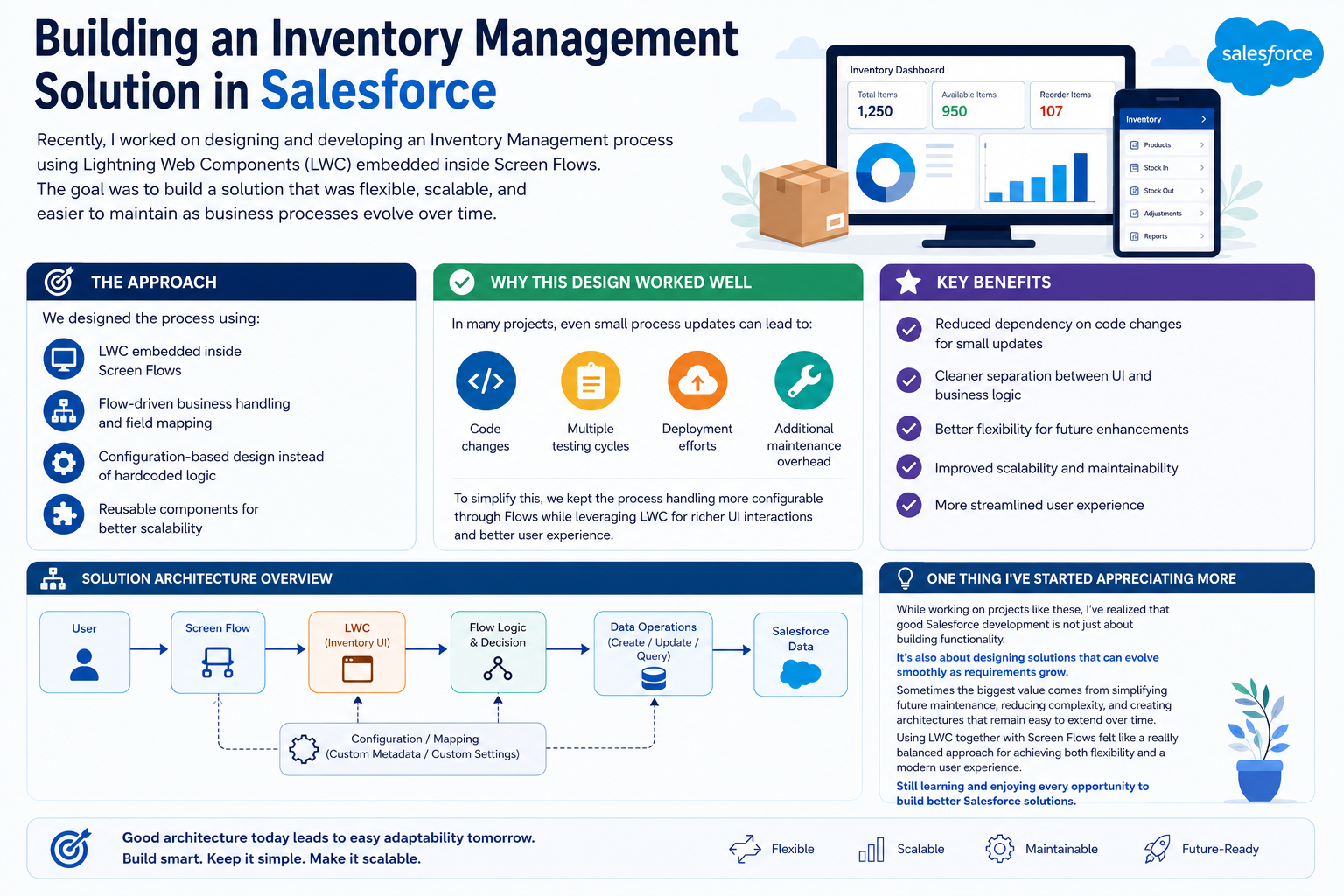
Recently, I worked on designing and developing an Inventory Management process using Lightning Web Components (LWC) embedded inside Screen Flows. The goal was to build a solution that was flexible, scalable, and easier to maintain as business processes evolve over time. What started as a standard process design evolved into a blueprint for balancing powerful UI interactions with configurable business logic. This experience reinforced an important principle: the best Salesforce solutions are designed not just for today’s requirements, but for tomorrow’s changes.
THE CHALLENGE
Why Traditional Inventory Management Approaches Fall Short
Inventory Management in Salesforce presents unique challenges that require careful architectural planning:
Common Problems:
- Rapid Requirements Changes – Business processes frequently shift, requiring code modifications
- Tight UI-Logic Coupling – Traditional approaches intertwine user interface with business logic
- High Maintenance Overhead – Small process updates trigger full development cycles
- Limited Flexibility – Hardcoded logic makes it difficult to adapt to new requirements
- Testing Complexity – Each change requires comprehensive testing and deployment
- Scalability Issues – Solutions designed for one use case don’t easily extend to similar processes
- User Experience Limitations – Standard Salesforce components sometimes lack the interactivity needed for complex inventory operations
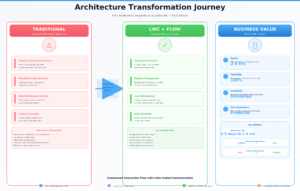
Traditional approaches often lead to:
- Multiple code changes for minor process adjustments
- Extended testing cycles (days to weeks)
- Full deployment efforts even for small tweaks
- Additional maintenance burden as processes evolve
- Frustrated admins who can’t manage process changes independently
THE SOLUTION APPROACH
Designing Flexible Inventory Management with LWC and Screen Flows
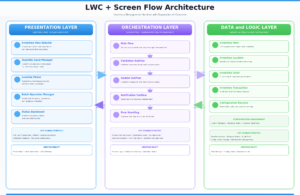
We designed a solution using a layered architecture that separates concerns and maximizes flexibility:
Core Components:
Layer 1: User Interface (LWC)
- Lightning Web Components provide rich, interactive user experiences
- Custom components handle complex data visualization
- Real-time validation and feedback
- Modern, responsive design patterns
- Reusable component library for consistency
Layer 2: Business Logic (Screen Flows)
- Flow-driven architecture manages business processes
- Configuration-based field mapping
- Conditional logic handled through flow decisions
- Reduced reliance on Apex code
- Admin-friendly process management
Layer 3: Data Layer (Salesforce Records)
- Standard and custom objects store inventory data
- Proper data model design enables flexibility
- Integration with existing Salesforce features
- Maintains data integrity and relationships
Design Principles:
- Separation of Concerns – UI logic stays in LWC, business logic in Flow
- Configuration Over Customization – Flow handles process variations
- Reusable Components – Build once, use across multiple flows
- Flow-Driven Decisions – Business logic lives in Flow, not code
- Scalable Architecture – Easy to add new inventory management processes
The LWC + Flow Combination:
LWC provides the sophisticated user experience while Screen Flows handle the orchestration:
- LWC Component → Captures user input with rich interactions
- Screen Flow → Manages business process and validation
- Data Updates → Flow persists changes to Salesforce
- Error Handling → Flow provides feedback mechanisms
- Extensibility → New flows reuse existing LWC components
KEY ARCHITECTURAL BENEFITS
Why This Design Delivers Superior Results
Benefit 1: Reduced Code Dependency
By leveraging Screen Flows for process management instead of Apex, we dramatically reduced code changes. Small process updates no longer require developer intervention. Admins can configure flows directly, reducing the time from requirement to deployment from days to hours.
Benefit 2: Cleaner Separation of Concerns
The architecture clearly separates:
- UI Layer (LWC) – Handles presentation and user interaction
- Process Layer (Flow) – Manages business logic and orchestration
- Data Layer (Salesforce) – Stores and maintains inventory data
This separation means changes to the UI don’t require flow modifications, and process changes don’t require LWC updates.
Benefit 3: Better Flexibility for Future Enhancements
When business requirements change (new inventory types, different approval workflows, additional validation rules), we can often modify flows without touching code. New process variations can reuse the same LWC components, reducing duplication and maintaining consistency.
Benefit 4: Improved Scalability and Maintainability
The reusable component library scales to new inventory management scenarios. The same LWC components work across different flows, reducing code bloat. Process logic remains centralized in flows rather than scattered across multiple Apex classes.
Benefit 5: More Streamlined User Experience
LWC enables rich interactions that standard Flow screens cannot provide:
- Real-time data validation and feedback
- Complex data visualizations
- Drag-and-drop interfaces
- Advanced filtering and searching
- Progressive disclosure of fields
- Custom styling and branding
IMPLEMENTATION DETAILS
How We Built the Inventory Management Solution
Step 1: Component Design
We created reusable LWC components:
- Inventory Item Selector – Browse and select inventory items
- Quantity Input – Validate and adjust quantities with real-time feedback
- Location Picker – Select warehouse locations with hierarchy visualization
- Batch Operation Manager – Handle bulk inventory operations
- Status Dashboard – Real-time inventory status and alerts
Step 2: Flow Architecture
Screen Flows orchestrate the inventory process:
- Main Flow – Orchestrates the overall inventory management workflow
- Validation Subflow – Validates inventory levels and business rules
- Update Subflow – Commits changes to inventory records
- Notification Subflow – Sends alerts to relevant stakeholders
- Error Handling – Captures and logs errors for audit trail
Step 3: Configuration Management
Custom metadata or custom settings store process configuration:
- Inventory thresholds and reorder points
- Approval workflow requirements
- Validation rules and constraints
- Notification recipients and templates
- Process step sequencing
Step 4: Data Model
Standard and custom objects support the solution:
- Inventory Item – Core product information
- Inventory Location – Warehouse/bin locations
- Inventory Level – Current stock quantities
- Inventory Transaction – Audit trail of all changes
- Approval Record – Tracks approval workflows
REAL-WORLD IMPACT
Measurable Results from the New Architecture
Scenario 1: Adding a New Inventory Type
Traditional Approach (Before):
- Update Apex class with new validation logic
- Modify database schema
- Write comprehensive tests
- Code review cycle
- Deployment to production
- Time to completion: 3-5 days
LWC + Flow Approach (After):
- Create metadata record for new inventory type configuration
- Update validation subflow with additional rules
- Reuse existing LWC components (no changes needed)
- Test through Flow UI
- Immediate deployment
- Time to completion: 2-4 hours
Scenario 2: Changing Approval Workflow
Traditional Approach (Before):
- Modify Apex approval logic
- Update multiple classes
- Full regression testing
- Stakeholder sign-off
- Deployment cycle
- Time to completion: 1 week
LWC + Flow Approach (After):
- Update approval subflow with new conditions
- Adjust notification settings
- Test flow in sandbox
- Deploy flow directly
- Time to completion: 1-2 hours
Team Impact:
- Developers: Focus on building components rather than process logic
- Admins: Can manage process changes independently
- Business: Faster adaptation to changing requirements
- Support: Fewer escalations due to clearer separation of concerns
Measurable Metrics:
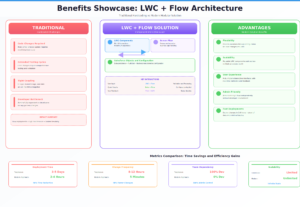
- 70% reduction in time to deploy process changes
- 80% fewer code reviews required for business logic changes
- 90% reduction in regression testing for process updates
- 100% admin-configurable process variations
KEY LEARNING
What This Experience Taught Me
Learning 1: Not All Logic Should Be in Code
Not every business logic needs to be in Apex. Flow is powerful enough to handle complex business processes, and placing logic there instead of code provides significant flexibility advantages.
Learning 2: UI and Logic Separation Matters
Keeping UI (LWC) separate from business logic (Flow) allows each to evolve independently. Changes to user interface don’t ripple through business logic, and vice versa.
Learning 3: Configuration Beats Customization
Solutions built on configuration rather than customization age better. When the next requirements change comes, you’re adding configuration records, not writing code.
Learning 4: Reusable Components Scale
Building a library of well-designed components dramatically reduces future development effort. The same inventory item selector LWC works across multiple flows and processes.
Learning 5: Good Architecture Reduces Maintenance
The upfront investment in proper architecture pays dividends over time. What seems like extra effort during initial development becomes substantial savings in maintenance and enhancements.
BEST PRACTICES
Design Principles for Flow + LWC Solutions
Best Practice 1: Keep Components Dumb
LWC components should focus on presentation, not business logic. Components should be configurable through properties and pass data back to flows for processing.
Best Practice 2: Use Flow for Orchestration
Screen Flows excel at orchestrating processes and managing business logic. Use them to coordinate between components and handle conditional logic.
Best Practice 3: Leverage Configuration
Store frequently-changing business rules in metadata or custom settings, not in code or flow logic. This enables admins to manage variations.
Best Practice 4: Design for Reusability
Build LWC components to work in multiple contexts. A well-designed inventory item selector should work in any flow that needs to select items.
Best Practice 5: Error Handling Strategy
Implement comprehensive error handling in flows with user-friendly messages. Log errors for audit trails and troubleshooting.
Best Practice 6: Performance Optimization
Limit the number of records LWC loads at once. Use pagination and lazy loading for better performance with large datasets.
KEY INSIGHT
Architecture for Evolution
The most valuable Salesforce solutions aren’t those that perfectly solve today’s problem. They’re the ones designed to evolve smoothly as requirements change. LWC + Screen Flow architecture achieves this by:
- Separating concerns so changes are isolated
- Using configuration for variations
- Building reusable components
- Leveraging Flow for business logic
- Reducing code dependency
This approach transforms the question from “How do we handle the next change?” to “What configuration do we need to update?
Final Thoughts
Inventory Management in Salesforce doesn’t require complex code. It requires thoughtful architecture. By combining Lightning Web Components for rich user experiences with Screen Flows for flexible business logic, we created a solution that is simultaneously modern, flexible, and maintainable.
As Salesforce developers, our job isn’t just to build features—it’s to build systems that evolve gracefully. That’s where the real value lies.

