

INTRODUCTION
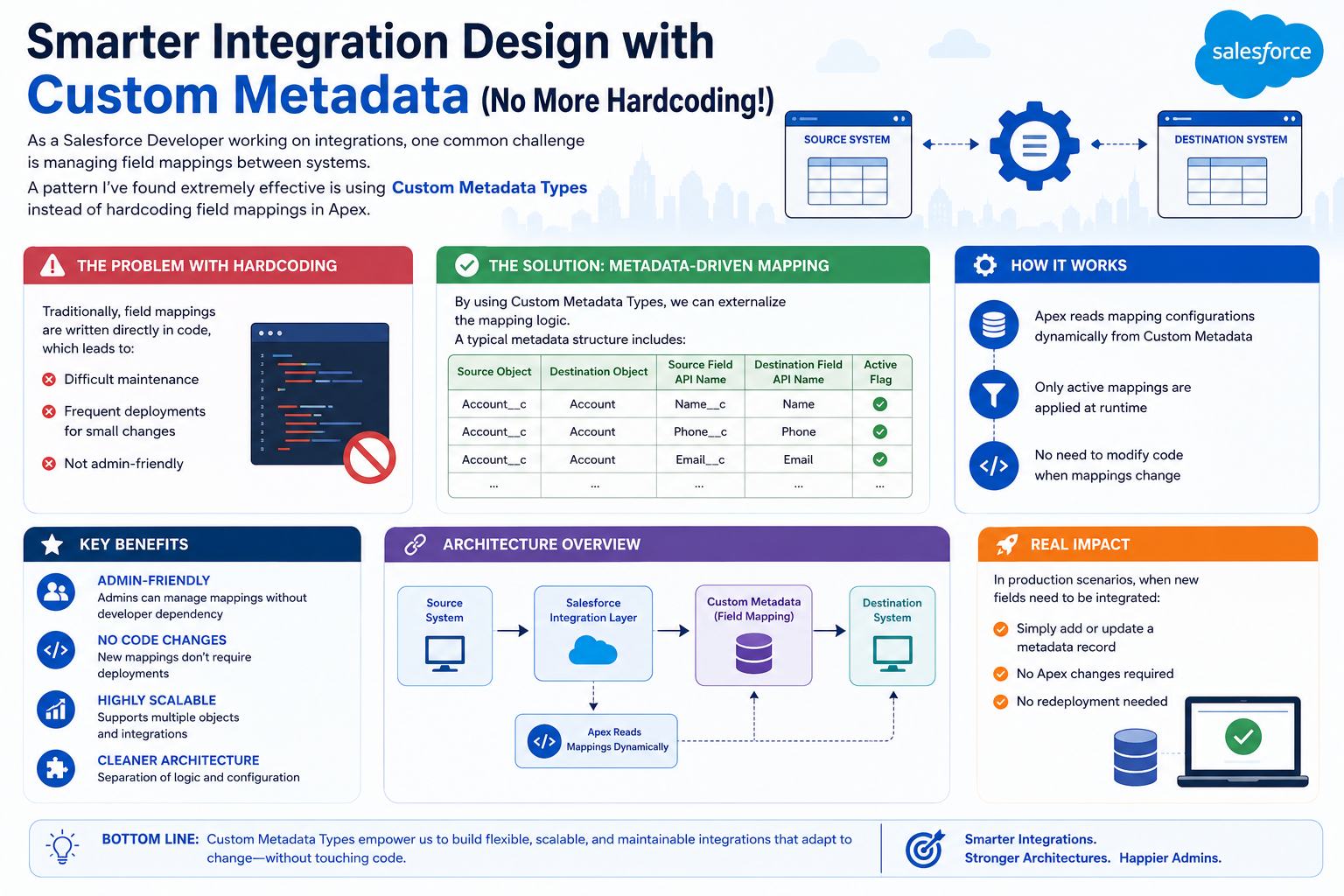
As a Salesforce Developer working on integrations, one common challenge is managing field mappings between systems. A pattern I’ve found extremely effective is using Custom Metadata Types instead of hard coding field mappings in Apex. This shift in approach has fundamentally changed how we handle integration maintenance and scalability. What once required developer intervention for every mapping change can now be managed entirely through configuration.
THE PROBLEM WITH HARD CODING
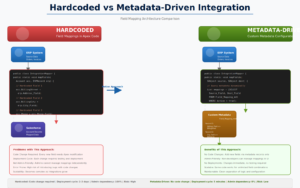
Why Hard coded Mappings Create Technical Debt
Traditionally, field mappings are written directly in code. This approach creates several problems:
Key Issues:
- Difficult Maintenance – Changes buried in Apex code require code review and understanding of logic
- Frequent Deployments – Every mapping change, no matter how small, requires a full deployment cycle
- Not Admin-Friendly – System Admins can’t make changes independently without developer support
- Error-Prone – Manual code changes increase the risk of introducing bugs
- Scalability Issues – As integrations grow, hard coded logic becomes increasingly complex
- Knowledge Silos – Only developers understand the mapping logic, creating bottlenecks
This traditional approach also makes it difficult to manage multiple integrations or handle dynamic field additions from external systems.
THE SOLUTION – METADATA-DRIVEN MAPPING
Externalizing Logic with Custom Metadata Types
Instead of hardcoding mappings, we can externalize the mapping logic using Custom Metadata Types. Custom Metadata Types provide a declarative way to store configuration data that can be accessed by Apex at runtime.
Typical Metadata Structure:
- Source Object – The object from which data originates
- Destination Object – The object receiving the mapped data
- Source Field API Name – The exact API name of the source field
- Destination Field API Name – The exact API name of the destination field
- Active Flag – Boolean to enable/disable specific mappings
- Data Type – Specifies conversion rules if needed (Optional)
- Transformation Logic – Reference to transformation handler (Optional)
This declarative structure allows non-developers to understand and modify mappings.
HOW IT WORKS
The Metadata-Driven Approach in Action
Step-by-Step Process:
- Define Metadata Structure – Create a Custom Metadata Type with mapping fields
- Create Mapping Records – Admins define mapping records declaratively
- Query at Runtime – Apex dynamically queries metadata at integration execution
- Apply Active Mappings – Only mappings with Active flag = true are processed
- Transform Data – Source fields are mapped to destination fields based on metadata
- Insert Records – Transformed data is inserted into destination objects
Key Characteristics:
- No hardcoded field names in Apex
- Configuration changes don’t require code modification
- Easy to add new field mappings
- Flexible and scalable approach
KEY BENEFITS
Why This Pattern Works So Well
Benefit 1: Admin-Friendly
System Admins can manage mappings without developer dependency. Custom Metadata records can be created and modified through the Salesforce UI or programmatically without touching any code.
Benefit 2: No Code Changes
New mappings don’t require Apex modifications. The same code continues to work as new mappings are added to the metadata layer. This eliminates the deployment cycle for mapping updates.
Benefit 3: Highly Scalable
The pattern supports multiple objects and integrations with the same Apex code. As your integration landscape grows, you simply add more metadata records without code bloat.
Benefit 4: Cleaner Architecture
Clean separation between logic (Apex) and configuration (Metadata). Developers focus on the transformation logic while Admins manage the mapping configuration.
Benefit 5: Version Control Friendly
Custom Metadata is change set deployable and source control friendly. Mapping changes can be tracked and rolled back if needed.
Benefit 6: Performance
Metadata is cached by Salesforce, providing excellent performance for runtime queries without SOQL limitations.
REAL-WORLD IMPACT
What Changes in Production
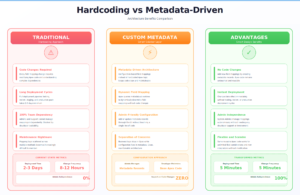
Scenario: Adding a New Field to Integration
Traditional Approach (Before):
- Business requests new field integration
- Developer updates Apex code
- Code review and testing
- Deploy to production
- Time to completion: 2-3 days
Metadata-Driven Approach (After):
- Business requests new field integration
- Admin adds metadata record in UI
- Immediate availability in production
- Time to completion: 5 minutes
Additional Real-World Benefits:
- Multi-Tenant Support – Different clients can have different mappings from same code
- A/B Testing – Toggle mappings on/off without deployments
- Audit Trail – Metadata history tracks who changed what and when
- Rapid Prototyping – Quickly test new field mappings before finalizing
IMPLEMENTATION CONSIDERATIONS
Building Robust Metadata-Driven Solutions
Best Practices:
- Naming Conventions – Use consistent, descriptive names for metadata records
- Error Handling – Implement validation for field existence at runtime
- Caching Strategy – Consider caching metadata for high-volume integrations
- Documentation – Document the Custom Metadata structure for Admin reference
- Testing – Test mapping changes before production deployment
- Governance – Establish who can create/modify metadata records
Advanced Patterns:
- Transformation Handlers – Reference Apex classes for complex field transformations
- Conditional Mappings – Add criteria to apply mappings conditionally
- Default Values – Support default values if source field is empty
- Data Type Conversion – Handle automatic type conversions (text to number, etc.)
KEY INSIGHT
Configuration Over Customization
The shift from hardcoded logic to metadata-driven configuration is part of a larger architectural principle: configuration over customization. This approach makes integrations more maintainable, scalable, and user-friendly.
Modern integration design demands flexibility without constant code changes. Custom Metadata provides that flexibility while maintaining clean, understandable code.
Final Thought
Custom Metadata Types transform integration design from a developer-centric activity to a collaborative process where Admins have autonomy. The reduction in deployments, faster time-to-value, and improved maintainability make this pattern essential for production integrations.
If you’re still hardcoding field mappings, consider moving to a metadata-driven approach. Your future self (and your Admins) will thank you.

