

INTRODUCTION
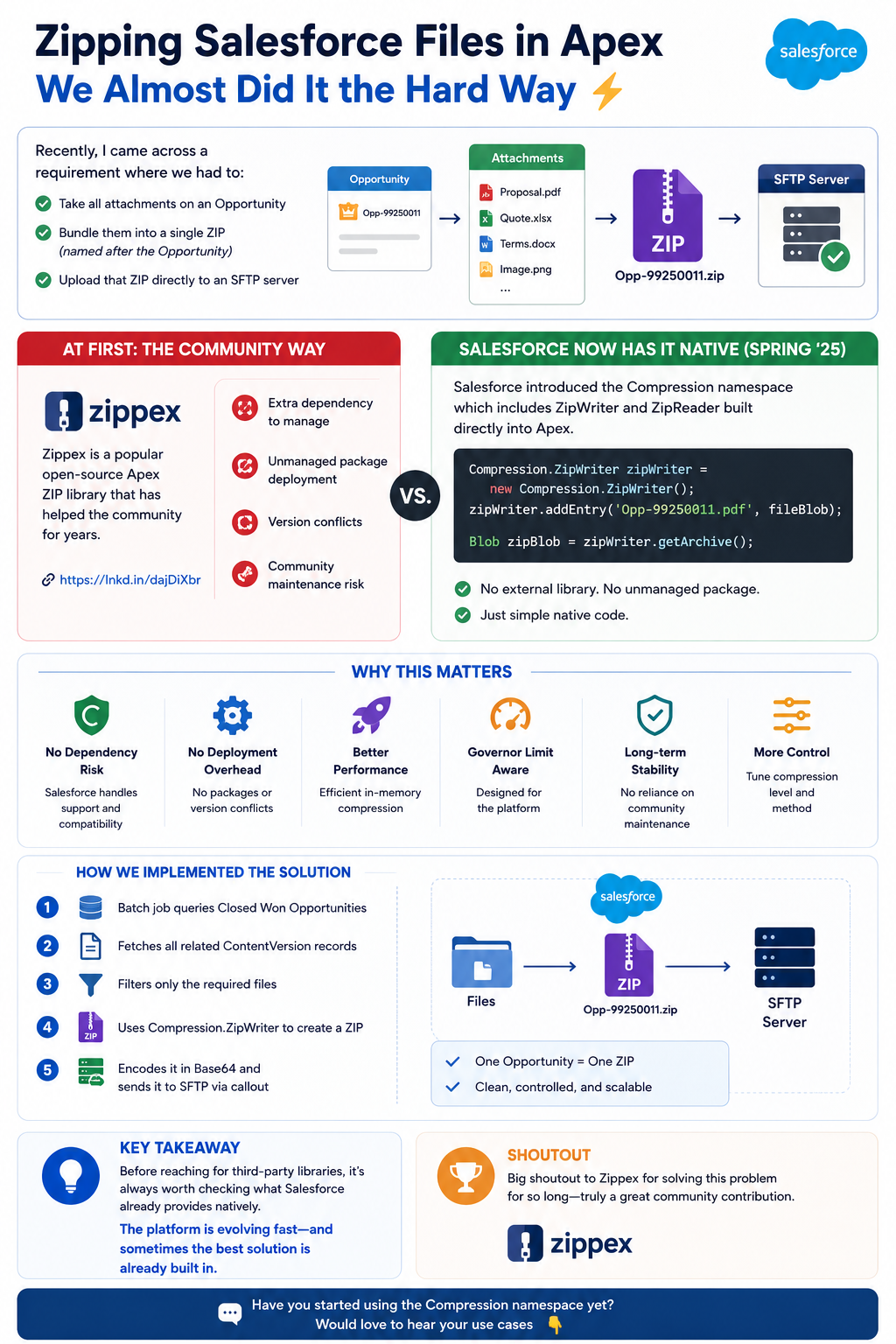
Recently, I came across a requirement where we had to take all attachments on an Opportunity, bundle them into a single ZIP named after the Opportunity, and upload that ZIP directly to an SFTP server. At first, it sounded simple. So like most of us would do, I started searching for a solution. That’s when I found Zippex – a well-known open-source Apex ZIP library that the community has relied on for years. It’s a great library, battle-tested, and genuinely helpful. But while exploring further, I realized something interesting that changed our entire approach.
THE OLD WAY – ZIPPEX LIBRARY
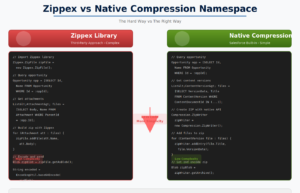
The Community Solution: Zippex Library
For years, developers have turned to Zippex, an excellent open-source Apex library for ZIP file operations. It’s reliable, well-maintained, and has solved this problem for countless organizations.
Key Points:
- Battle-tested library
- Community-supported and maintained
- Requires external package installation
- Extra dependencies to manage
- Proven track record in production systems
THE BETTER WAY – NATIVE COMPRESSION
Salesforce Native Solution (Spring 2025)
With recent releases, Salesforce introduced the Compression namespace, which includes ZipWriter and ZipReader built directly into Apex. No external library. No unmanaged package. No dependency to maintain.
WHY THIS MATTERS
The Advantages of Native Implementation
Benefits:
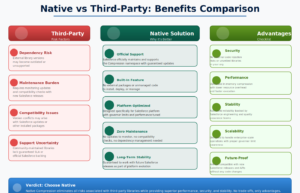
- No Dependency Risk – Salesforce handles support and compatibility
- No Deployment Overhead – No packages or version conflicts
- Better Performance – Efficient in-memory compression
- Governor Limit Aware – Designed for the platform
- Long-term Stability – No reliance on community maintenance
- More Control – You can tune compression level and method
Using native Salesforce features means you’re building on a foundation that the platform officially supports and maintains.
HOW WE IMPLEMENTED IT
Our Implementation Approach
We restructured our solution to use the native Compression namespace with the following flow:
Step-by-Step Process:
- Batch Job – Queries Closed Won Opportunities
- Fetch Files – Retrieves all related ContentVersion records
- Filter Data – Selects only the required files
- Create ZIP – Uses Compression.ZipWriter to create a ZIP archive
- Encode – Encodes it in Base64 for transmission
- Send – Transmits it to SFTP via callout
Key Characteristics:
- One Opportunity = One ZIP
- Clean, controlled, and scalable
- Minimal code footprint
- Efficient resource usage
KEY TAKEAWAY
The Bigger Picture
Before reaching for third-party libraries, it’s always worth checking what Salesforce already provides natively. The platform is evolving fast and sometimes the best solution is already built in.
Many developers don’t realize that Salesforce has added new capabilities that eliminate the need for external packages. Staying updated with platform releases can save you:
- Development time
- Maintenance burden
- Dependency risks
- Performance overhead
Big shoutout to Zippex for solving this problem for so long – truly a great community contribution. However, when native solutions are available, they should be preferred.
Final Thought
Have you started using the Compression namespace yet? The native approach offers cleaner code, better performance, and reduced complexity. For any new implementations of ZIP functionality, I’d recommend exploring the native Compression name.

